Creating Service Providers
Codesphere allows you to publish existing Codesphere landscapes as Managed Service Providers. This enables other developers to discover and deploy your custom solutions.
Landscape-based Service Providers
A landscape-based service provider transforms a Codesphere landscape into a reusable blueprint that others can instantiate as managed services.
Publishing providers requires cluster admin permissions. Team admins can request providers to be scoped to specific teams.
Prerequisites
Before creating a landscape-based service provider, you need:
- A Git repository containing a valid Codesphere landscape with a
ci.ymlfile. - A
provider.ymlfile at the repository root defining the provider configuration. - Git provider permissions configured in your Codesphere account. You can manage your Git connections in your user settings.
Provider Definition
The provider.yml file defines all metadata and configuration schemas for your service provider.
name: mattermost
version: v1
author: Your Team
displayName: Mattermost
iconUrl: https://example.com/mattermost-icon.png
category: collaboration
description: |
  Open-source team messaging and collaboration platform.
  Supports channels, direct messaging, and file sharing.

backend:
  landscape:
    gitUrl: https://github.com/your-org/mattermost-landscape
    ciProfile: production

configSchema:
  type: object
  properties:
    SITE_NAME:
      type: string
      description: Display name for your Mattermost instance
    MAX_USERS:
      type: integer
      description: Maximum number of users allowed
      x-update-constraint: increase-only

secretsSchema:
  type: object
  properties:
    ADMIN_PASSWORD:
      type: string
      format: password

detailsSchema:
  type: object
  properties:
    hostname:
      type: string
    port:
      type: integer
Provider Fields
| Field | Description |
|---|---|
name | Unique identifier for the provider. Must match ^[-a-z0-9_]+$. |
version | Version string in the format v[0-9]+ (e.g., v1, v2). |
displayName | Human-readable name shown in the Marketplace UI. |
iconUrl | URL to the provider icon (absolute or relative path). |
category | Grouping category (e.g., databases, messaging, monitoring). |
author | Organization or individual responsible for the provider. |
description | Markdown-formatted description of the service. |
backend.landscape.gitUrl | Git repository URL containing the landscape configuration. |
backend.landscape.ciProfile | CI profile name from the ci.yml to use for deployments. |
configSchema | JSON Schema defining user-configurable options. These values are passed to the landscape as environment variables. |
secretsSchema | JSON Schema defining secret values (e.g., passwords). These values are set in the landscape's secrets vault. |
detailsSchema | JSON Schema defining runtime details exposed after provisioning. |
Below you can see where each schema type appears in the Codesphere UI:
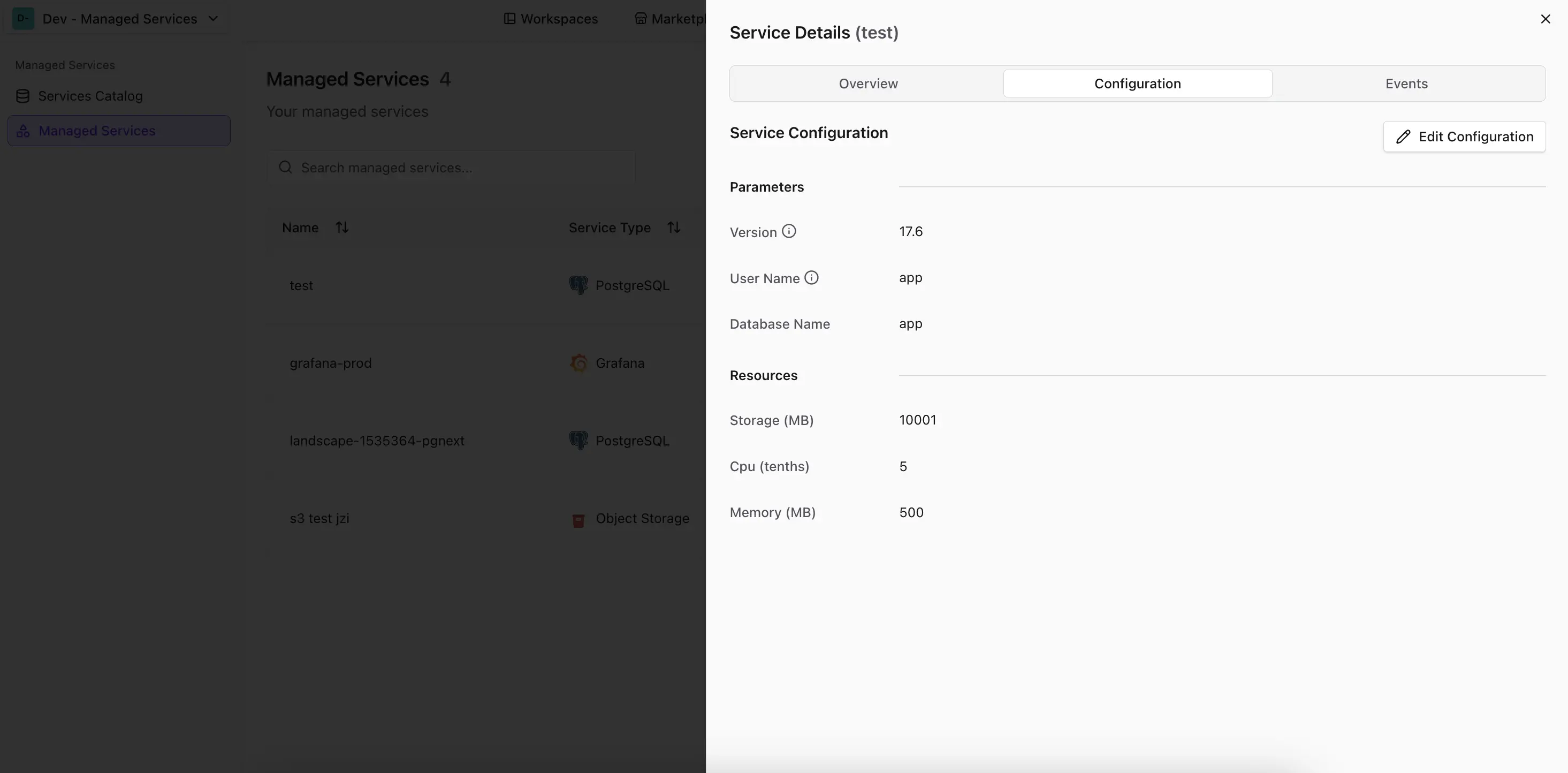
- ConfigSchema
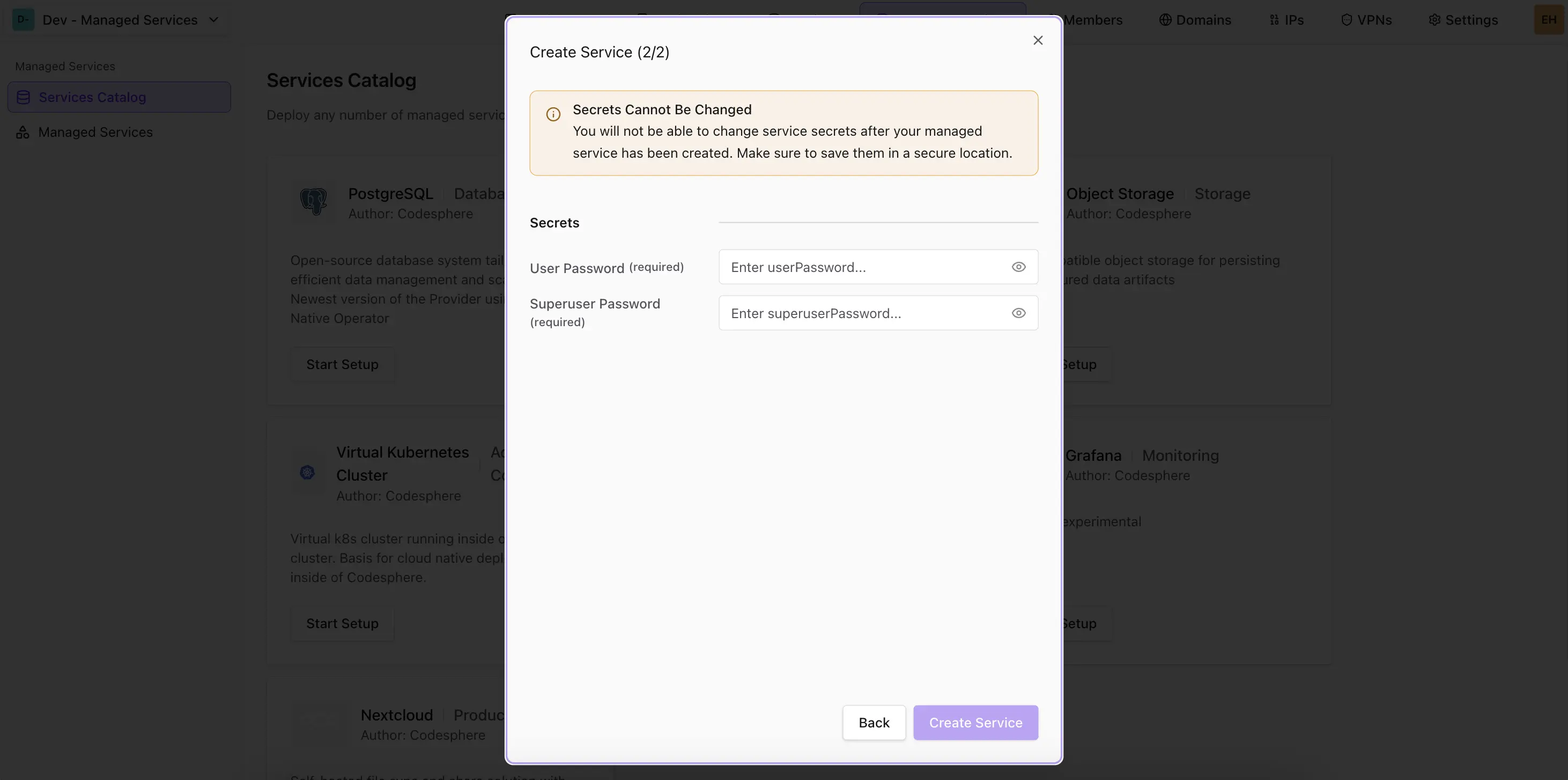
- SecretsSchema
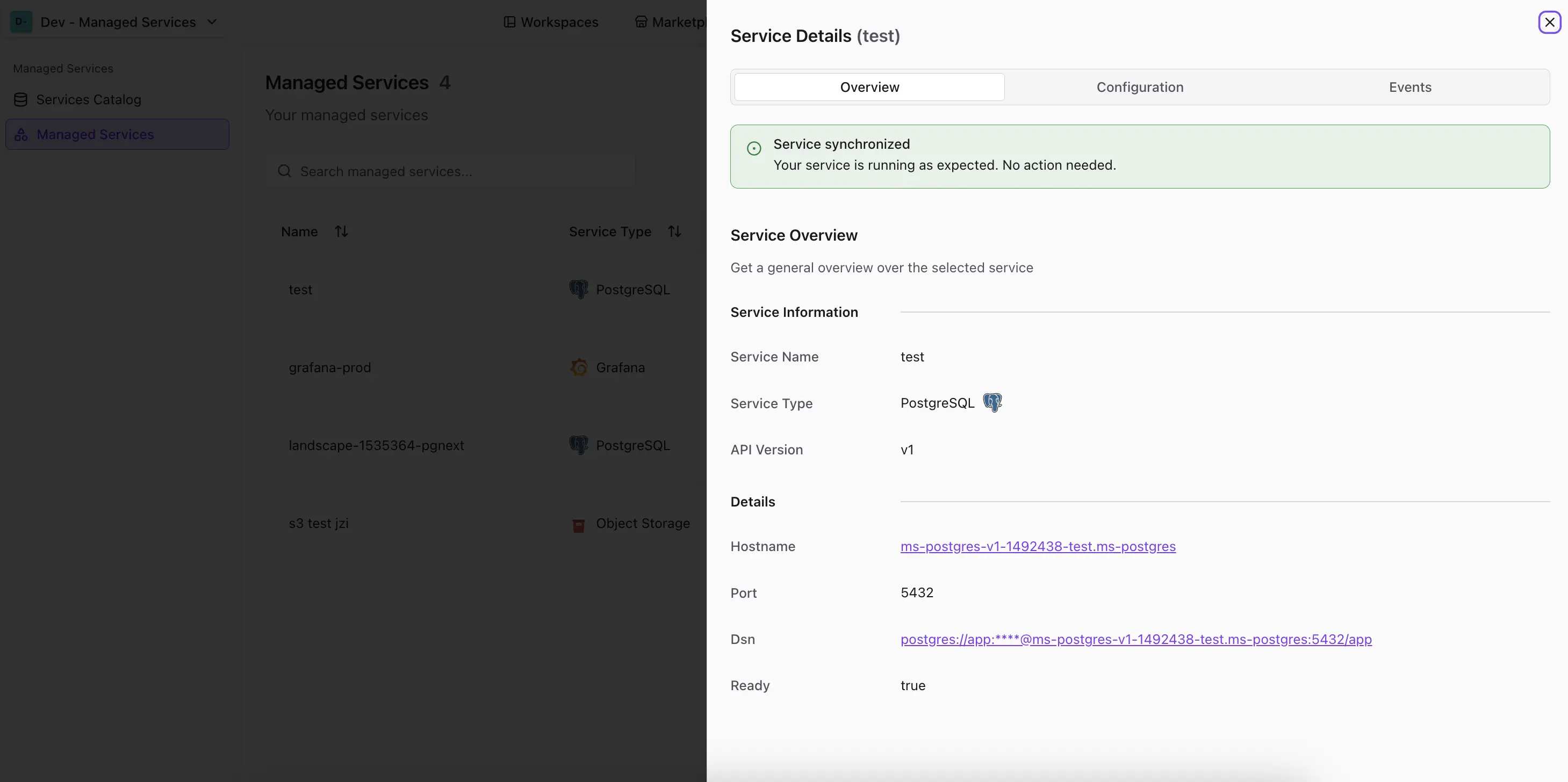
- DetailsSchema
Config values from configSchema appear in the config section of the service settings and can be updated.
Secrets from secretsSchema show up in the create service dialog and must be filled in by the user.
Details from detailsSchema are shown in the service settings details section.
Publishing a Landscape-based Provider
Providers are published via the Codesphere Public API . You can either provide a Git URL that includes the provider.yml file or the full provider specification in the payload.
- Using Git URL
- Using Full Specification
The simplest approach is to provide the Git repository URL. Codesphere will fetch and validate the provider.yml automatically.
Note: Replace
codesphere.comwith your Codesphere instance URL if you are using a self-hosted or private deployment.
curl -X POST "https://codesphere.com/api/managed-services/providers" \
  -H "Authorization: Bearer YOUR_API_KEY" \
  -H "Content-Type: application/json" \
  -d '{
    "gitUrl": "https://github.com/your-org/mattermost-landscape",
    "scope": {
      "type": "global"
    }
  }'
For more control, you can provide the complete provider specification directly:
Note: Replace
codesphere.comwith your Codesphere instance URL if you are using a self-hosted or private deployment.
curl -X POST "https://codesphere.com/api/managed-services/providers" \
  -H "Authorization: Bearer YOUR_API_KEY" \
  -H "Content-Type: application/json" \
  -d '{
    "name": "mattermost",
    "version": "v1",
    "author": "Your Team",
    "displayName": "Mattermost",
    "iconUrl": "https://example.com/mattermost-icon.png",
    "category": "collaboration",
    "description": "Open-source team messaging platform.",
    "backend": {
      "landscape": {
        "gitUrl": "https://github.com/your-org/mattermost-landscape",
        "ciProfile": "production"
      }
    },
    "configSchema": {
      "type": "object",
      "properties": {
        "SITE_NAME": {
          "type": "string",
          "description": "Display name for your Mattermost instance"
        },
        "MAX_USERS": {
          "type": "integer",
          "description": "Maximum number of users allowed"
        }
      }
    },
    "secretsSchema": {
      "type": "object",
      "properties": {
        "ADMIN_PASSWORD": {
          "type": "string",
          "format": "password"
        }
      }
    },
    "detailsSchema": {
      "type": "object",
      "properties": {
        "hostname": { "type": "string" },
        "port": { "type": "integer" }
      }
    },
    "plans": [],
    "scope": {
      "type": "team",
      "teamIds": [42, 43]
    }
  }'
Provider Scopes
When creating a provider, you can define its visibility scope:
| Scope Type | Description |
|---|---|
global | Available to all teams in the Codesphere instance. Requires cluster admin permissions. |
team | Available only to specified teams. Provide an array of teamIds. |
Passing Configuration to Landscapes
Configuration values in the provider schema are passed to the landscape as environment variables. Reference these in your ci.yml:
schemaVersion: v0.2
run:
  my-service:
    steps:
      - command: ./start.sh
    env:
      APP_VERSION: ${{ workspace.env['APP_VERSION'] }}
      ADMIN_PASSWORD: ${{ vault.ADMIN_PASSWORD }}
Secret values are injected into the landscape's vault and can be accessed using the ${{ vault.SECRET_NAME }} syntax in your ci.yml.
Update Constraints with x-update-constraint
The configSchema supports a custom extension x-update-constraint that lets you restrict how individual properties can be changed
after a service has been created. This is useful for enforcing operational rules — for example, preventing storage from being
decreased or locking down a database engine version after initial setup.
Add the x-update-constraint keyword to any property in your configSchema:
configSchema:
  type: object
  properties:
    storage:
        type: integer
        description: Storage allocation in GB
        x-update-constraint: increase-only
    version:
        type: string,
        description: Version of the Postgres DB.
        enum: ['17.6', '16.10', '15.14', '14.19', '13.22']
        x-update-constraint: immutable,
Available Constraints
| Constraint | Behavior |
|---|---|
increase-only | The new value must be greater than or equal to the current value. Only applies to numeric fields. |
immutable | The property cannot be changed once it has been set. |
Update constraints are only enforced when updating an existing service. During initial creation, all values are accepted as long as they pass the standard schema validation.
Supported Formats
Provider schemas use JSON Schema validation. The following format values are supported in schema properties:
int32, int64, float, double, byte, binary, date, date-time, password, uri, hostname
Dynamic Details with x-endpoint
The detailsSchema supports a custom OpenAPI extension x-endpoint that allows you to fetch runtime details dynamically from your service. This is useful for retrieving live status information, metrics, or other data that changes after provisioning.
When x-endpoint is set on a property, Codesphere will fetch the value from the specified endpoint. The endpoint URL supports interpolation using other details fields.
detailsSchema:
  type: object
  properties:
    hostname:
      type: string
    port:
      type: integer
    status:
      type: object
      properties:
        state:
          type: string
        uptime:
          type: number
      x-endpoint: "https://{{hostname}}:{{port}}/status"
In this example, the status property is fetched dynamically from the service's /status endpoint using the hostname and port values.
Only GET requests are supported for x-endpoint. The endpoint must return JSON matching the property's schema definition.
Custom REST Adapters
Codesphere's Managed Services architecture is designed to be extensible. If landscape-based providers don't meet your specific requirements you can implement your own custom REST backend.
For a complete guide on implementing the Managed Service Adapter API specification, see Create a Custom REST Backend.