Path-Based Routing
Path-based routing allows you to host multiple distinct applications or micro-frontends on a single domain by directing traffic based on the URL path (e.g., sending example.com/blog to one workspace and example.com/api to another).
Prepare Your Application
Your application must be explicitly configured to serve content from the specific subpath (e.g., /blog), not just the root (/). Setting the routing in Codesphere is easy, but your application code must know how to handle that specific route. Especially relative links to static assets (i.e. CSS files) often break if this is not considered on the application level.
- Open the codebase for the service you want to host on a subpath.
- Update your router configuration to include the prefix.
- Deploy the updated version of your application.
Configuration Examples
- Express.js
- React Router
Change your route definitions to match the target subpath.
app.get('/blog', (req, res) => {
  res.send('Welcome to the blog!');
});
Set the basename property in your router configuration so React knows it is not being served from the root directory.
import { BrowserRouter } from 'react-router-dom';

function App() {
  return (
    <BrowserRouter basename="/blog">
      {/* Your routes go here */}
    </BrowserRouter>
  );
}
Configure Routing
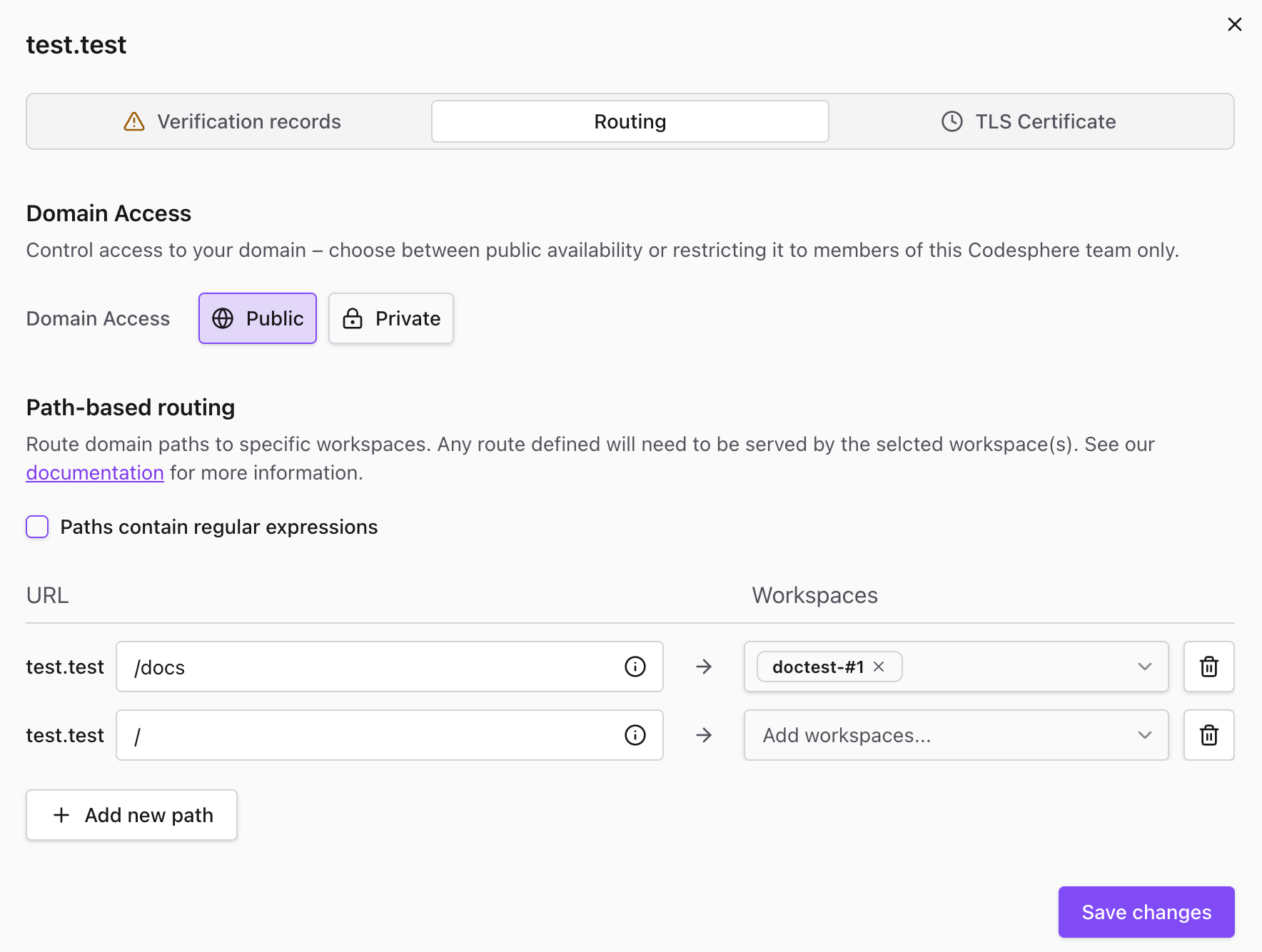
- Navigate to the Domains tab in your team dashboard.
- Expand the verified domain you wish to configure.
- Click the + Add new path button.
- Enter the desired path (e.g.,
/blogor/api/v1). - Select the target Workspace that contains the service for this path.
- Click Save changes to apply the configuration.
Verification
- Wait a few seconds for the new routing rules to propagate across the network.
- Visit your domain with the newly configured path (e.g.,
https://example.com/blog). - Confirm that the correct application loads.
If you see a 404 Not Found error, double-check your application code from Phase 1. The most common issue is that Codesphere is successfully routing traffic to the workspace, but the web server inside the workspace is still only listening on the root path (/) instead of the configured subpath (/blog).