Public API
The Codesphere Public API allows you to programmatically control your workspaces, automate CI/CD pipelines, and integrate Codesphere resources into your existing internal developer platforms.
Authentication
All API requests must be authenticated using an API Key. Currently, these keys function as Personal Access Tokens (PATs), meaning they inherit the exact same permissions and visibility as your user account.
Generating a Token
- Log in to Codesphere.
- Click your Avatar in the top-right corner.
- Select User Settings from the dropdown menu.
- Navigate to API Keys in the sidebar.
- Click Create New Key and give it a descriptive name (e.g., "GitHubActionsCI").
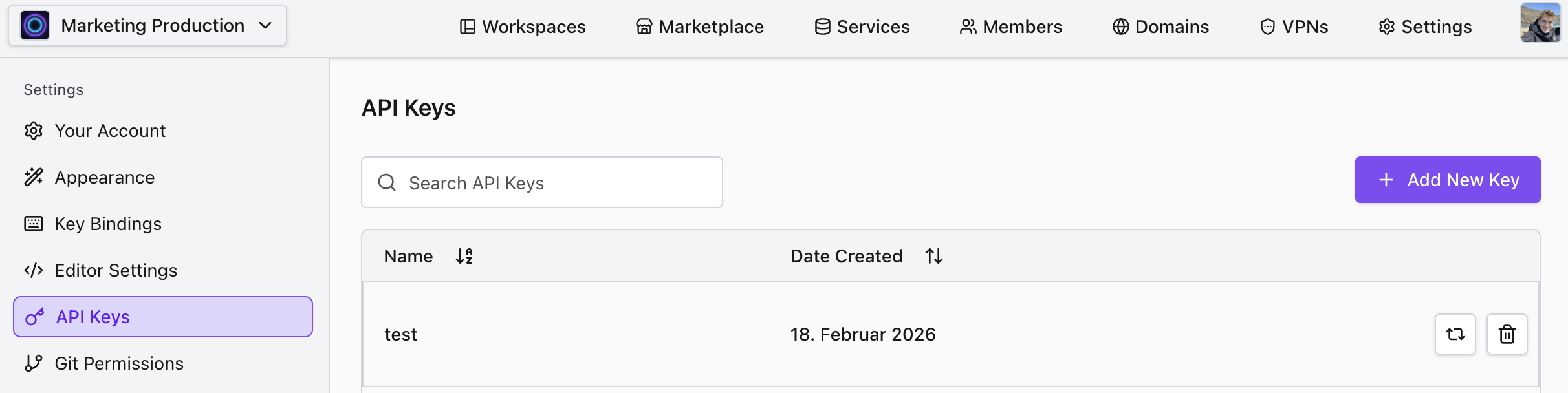
Copy the token immediately. For security reasons, the token value is shown only once upon creation. If you lose it, you will need to revoke the old key and generate a new one.
Using the Token
Include your API key in the Authorization header of your HTTP requests using the Bearer scheme:
Authorization: Bearer <YOUR_API_TOKEN>
API Documentation
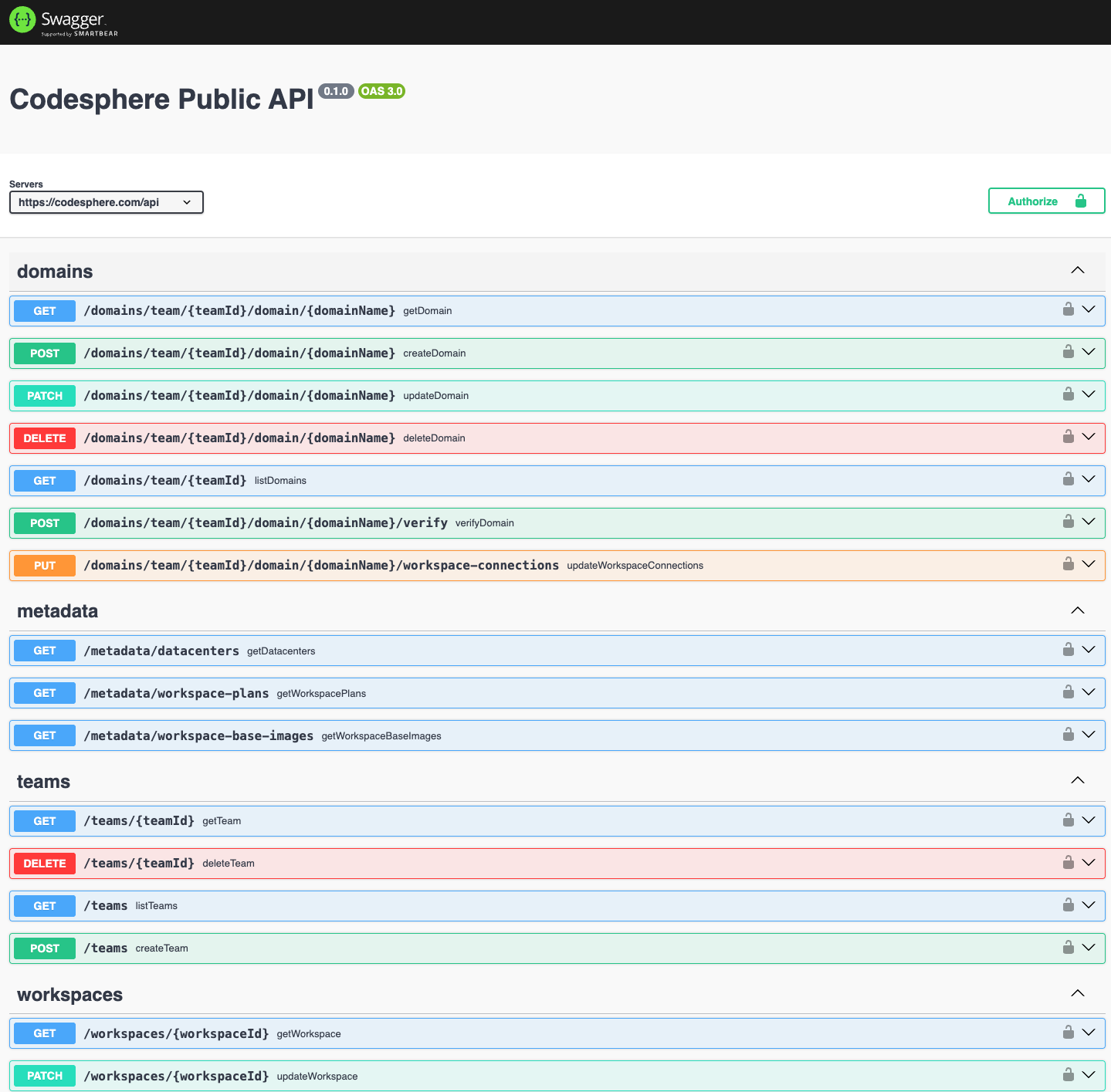
The most up-to-date documentation for every available endpoint, including required parameters and response schemas, is available directly via our interactive Swagger UI and Scalar UI.
You can find the API Documentation under [your_codesphere_url]/api/swagger-ui or [your_codesphere_url]/api/scalar-ui
You can test endpoints directly within the Swagger UI:
or Scalar UI:
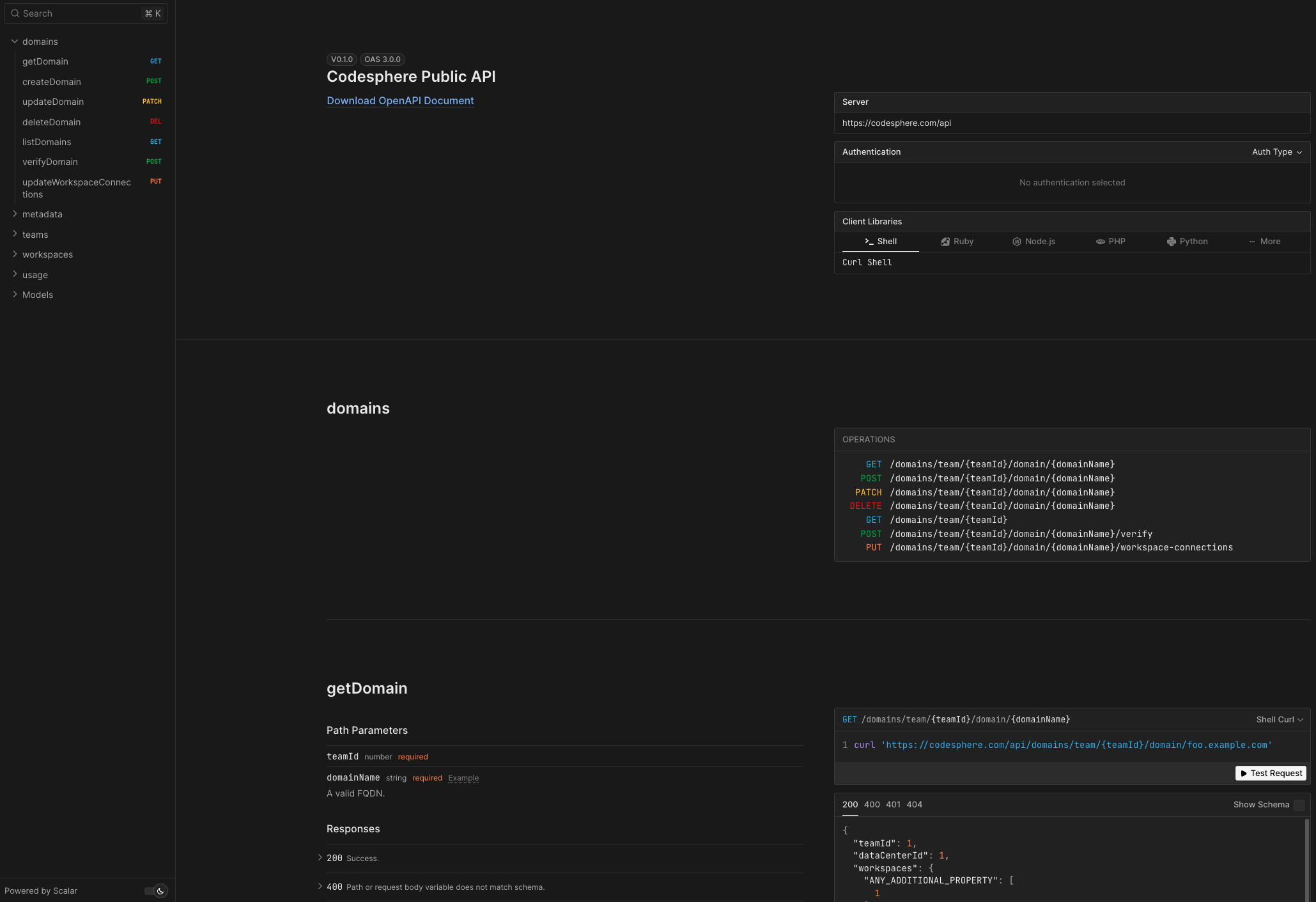
by providing your API key.
Core Capabilities
The API is designed to give you full CRUD (Create, Read, Update, Delete) control over your infrastructure.
1. Workspace Management
Programmatically provision and manage environments.
- Create: Initialize new workspaces with specific parameters (Team ID, Plan ID, GitHub URL, Branch, Replica count).
- Read: Retrieve status, resource usage, and configuration details.
- Delete: Decommission unused workspaces to manage costs.
2. Deployment Control
Remotely trigger actions within your CI/CD pipelines.
- Git Pull: Force a workspace to pull the latest commits from your remote repository (e.g.,
/workspaces/{workspaceId}/git/pull/{remote}). - Pipeline Execution: Trigger specific stages of your
ci.yml(e.g.,/pipeline/prepare/startto build, or/pipeline/run/startto boot the app). - Stop Workloads: Gracefully stop running applications before applying updates.
3. Domain Management
Switch routing rules programmatically. This is essential for Blue/Green or Zero-Downtime deployment strategies.
- Update Connection: Instantly switch a custom domain to point to a different workspace via
/domains/team/{teamId}/domain/{domainName}/workspace-connections.
Handling Async Operations (Polling)
Many API actions, such as building a workspace or running tests, are asynchronous. The API will return immediately to acknowledge the command, but the task will run in the background.
To handle this, use a Polling Pattern:
- Trigger the Action: Call the start endpoint (e.g.,
POST /pipeline/prepare/start). - Poll Status: Repeatedly check the status endpoint (e.g.,
GET /pipeline/prepare) at reasonable intervals (e.g., every 5 seconds). - Completion: Wait until the endpoint returns a
200 OKstatus before proceeding to the next step.
Avoid tight loops (e.g., requesting every 10ms). Aggressive polling can trigger rate limits. A 2-5 second interval is recommended for most build pipelines.